Everything your Beneficiary will need.
Records, messages, and memories, sealed on your iPhone and opened only for the person you choose, if you do not deny the request.
Encrypted on your device · Eterni cannot read your records
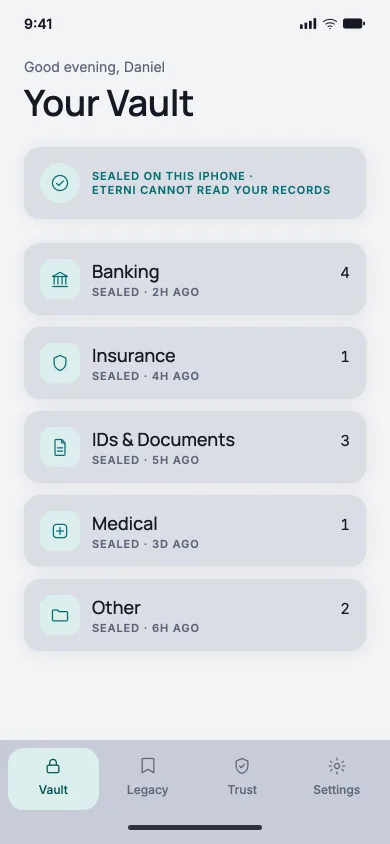
The things nobody else knows where to find.
Five categories, the same five the app opens with. You fill in only what matters.
Banking
Accounts, cards, and where the statements arrive.
Insurance
Policies, brokers, and the numbers to quote.
IDs & Documents
Passports, ID cards, birth certificates.
Medical
Conditions, prescriptions, and who to call first.
Other
The things that only make sense to you.
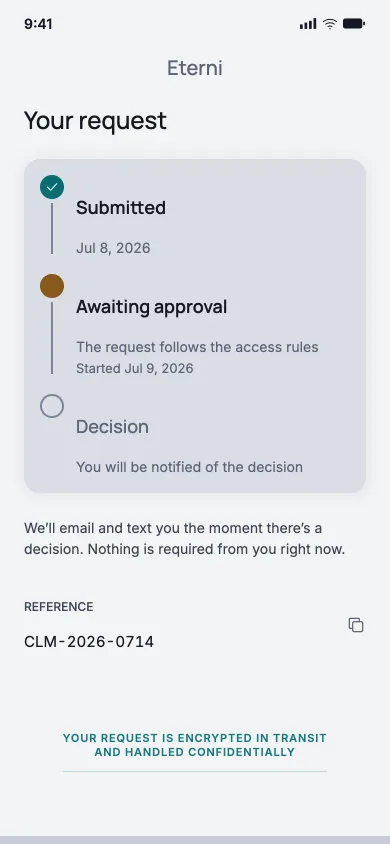
When access is needed, it takes three steps.
Nothing opens unless you let it. A Beneficiary can ask in the app, and you can deny the request.
Start in the app
The Beneficiary opens the claim screen and confirms identity with a code.
Wait for approval
The owner is emailed and can deny the request within their response window, 7 days unless they change it.
Open the vault
If the owner does not deny it, it opens only on the Beneficiary's device, and only there.
Follow the handover as one turn
The vault opens only on their device · Eterni cannot read it
What Eterni cannot do.
A company that keeps your records should be clearest about its limits. These four are ours.
We cannot read your records.
Everything is encrypted on your iPhone before it leaves it. We store the encrypted blocks. The key that opens them never reaches us.
We cannot recover a lost passphrase.
If you lose both your passphrase and your Recovery Key, your records cannot be opened again. Not by you, not by your Beneficiary, and not by us.
We cannot open anything without your say-so.
Every request reaches you first, and you can deny it. If you do not, access opens on the Beneficiary's device.
We cannot lock your data in.
You can export everything you have stored, at any time, and keep it somewhere else as well.
These are limits, not features we are working around
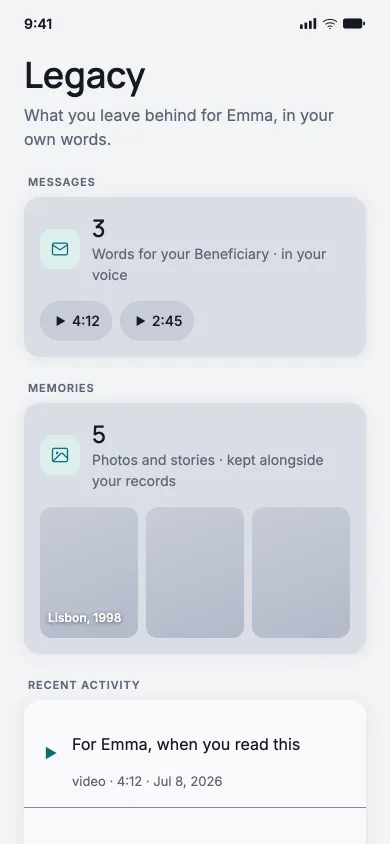
What only you can say.
A vault of account numbers is a useful thing and a cold one. Alongside the records you can leave messages in your own voice, and the photographs that go with the stories only you can tell.
They are sealed the same way the records are, and they are opened in the same request, for the same person.
Eterni is not on the App Store yet.
It is being built for iPhone, by a registered company in the European Union, and it will be a paid subscription when it ships. Leave an address and we will tell you the day it is there.
Questions people ask before they trust us with this.
Anything the five below do not answer, write to hello@eterni.eu. A person reads it.
Who is a Beneficiary?
The person you nominate to receive what you have stored. You name them during setup and they confirm their email address. You can also name a small number of alternates, who can step in if your Beneficiary cannot. Any of them can be changed at any time while your account is active.
What can Eterni read?
The encrypted blocks, and nothing inside them. Your records are encrypted on your iPhone before they are uploaded, with a key that is generated on the phone and never sent to us. Your passphrase and your Recovery Key each unlock that key. We hold the blocks so they survive a lost phone. We do not hold the key.
What if I forget my passphrase?
That is what the Recovery Key is for. It is shown once during setup, and you are asked to print it or save it as a PDF. If you lose the passphrase and the Recovery Key, the records cannot be recovered by anyone, including us.
What happens if my subscription lapses?
The vault becomes read-only rather than closing. Export stays free for the whole period. You are warned by email at 30, 60, 90 and 113 days, and the records are deleted 120 days after the failed payment.
Can I take everything with me?
Yes. Export produces a readable archive of everything you have stored, on demand, with no cancellation required first.